Codex Plugin - RPG Maker MV
A downloadable tool
to contact me for any bugs or errors please email me @ ZaneColeRIleyDev@gmail.com or leave a comment on this page.
Gallery
/*:
* @plugindesc Codex Plugin - Version 1.0.0
* @author ZaneColeRileyDev
*
* @help
* ============================================================================
* Lore, Story, Character & Location Plugin
* Author: ZaneColeRileyDev
* Version: 1.0.0
* ============================================================================
*
* This plugin provides a comprehensive codex/journal system for RPG Maker MV.
* It allows you to create and manage lore entries, character information,
* location data, and multi-section story entries that can be unlocked
* throughout your game.
*
* ============================================================================
* FEATURES
* ============================================================================
*
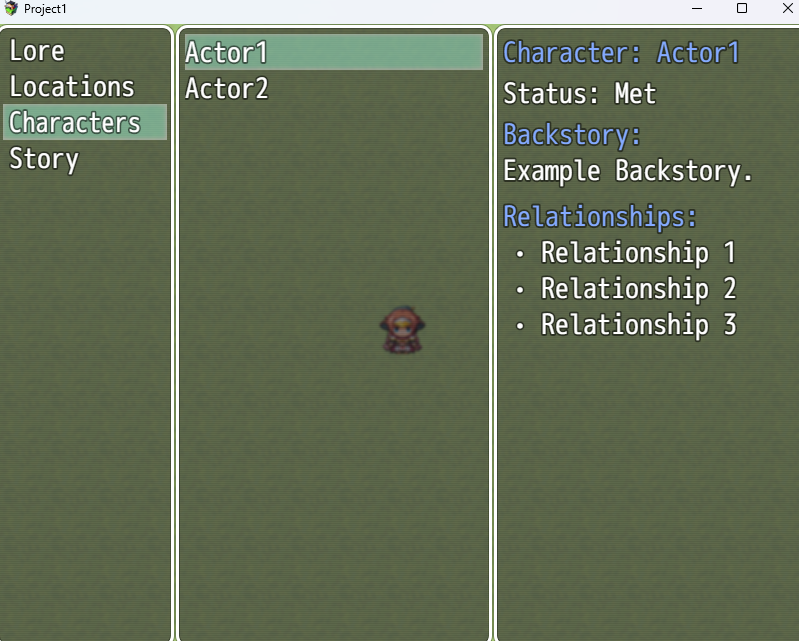
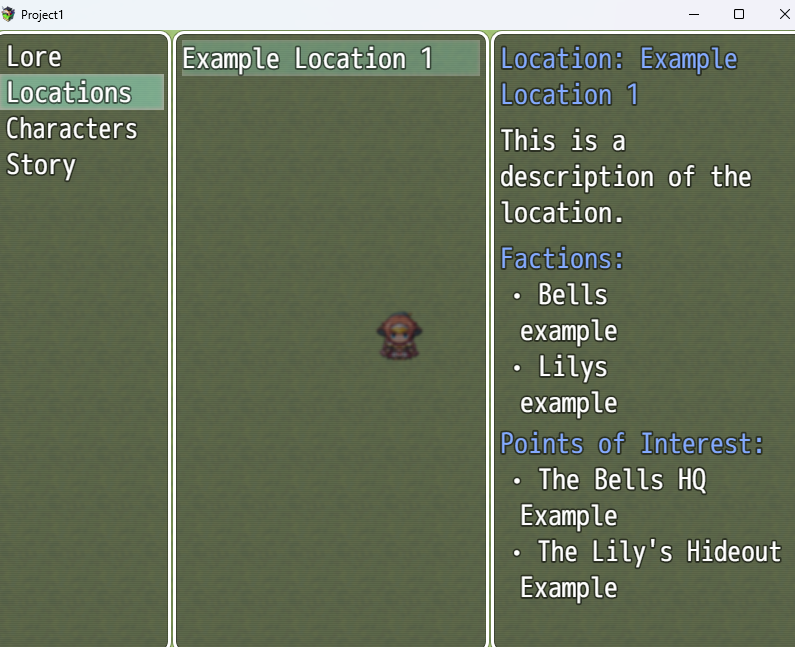
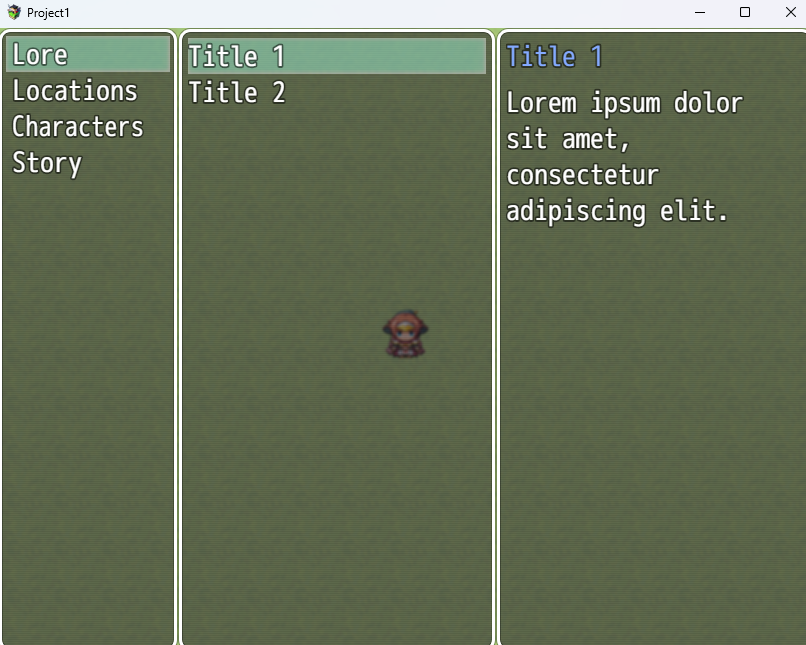
* • Four main categories:
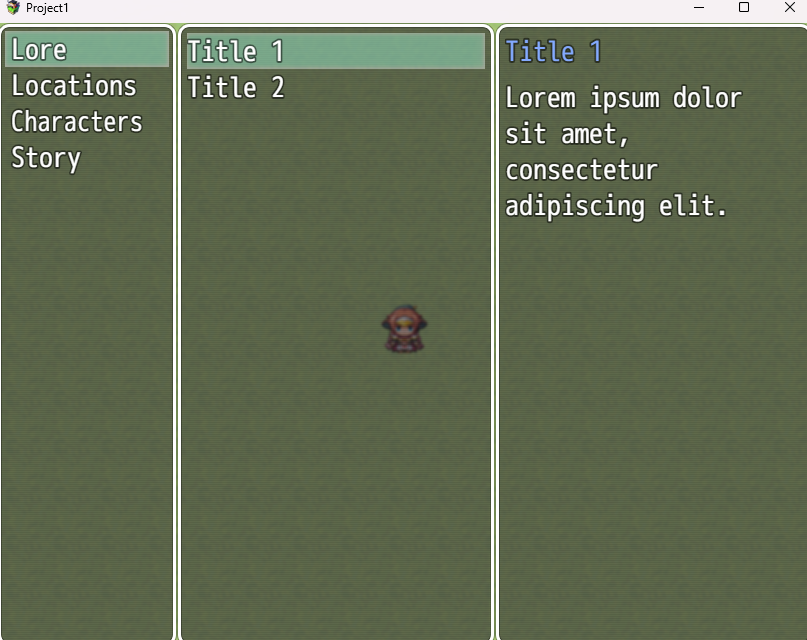
* - Lore: General world-building and knowledge entries
* - Characters: Track character info, relationships, and met status
* - Locations: Document places with factions and points of interest
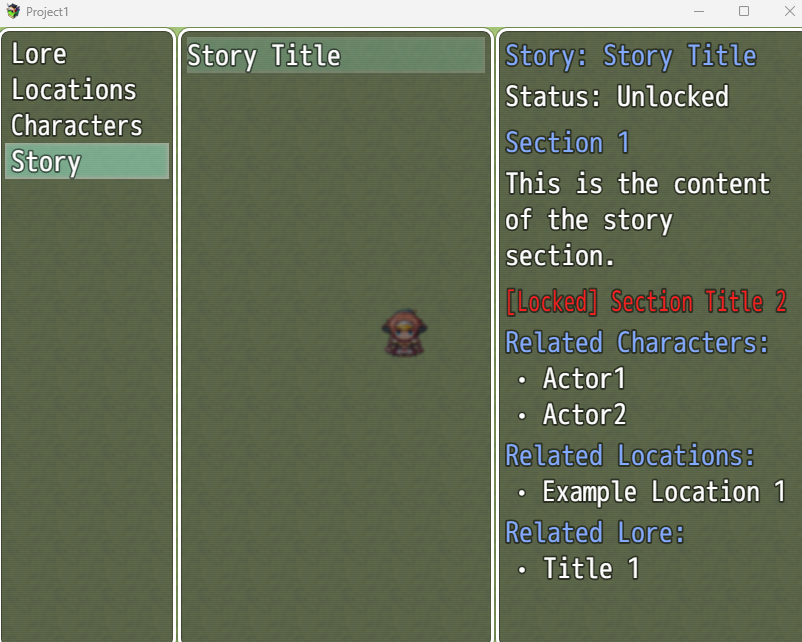
* - Story: Multi-section narrative entries with unlockable content
*
* • Professional codex UI with vertical tab navigation
* • Lock/unlock system for progressive content reveal
* • Related entries linking (stories can reference characters, lore, locations)
* • Word-wrapping for long text
* • Save-friendly data persistence
* • Accessible from main menu
*
* ============================================================================
* SETUP
* ============================================================================
*
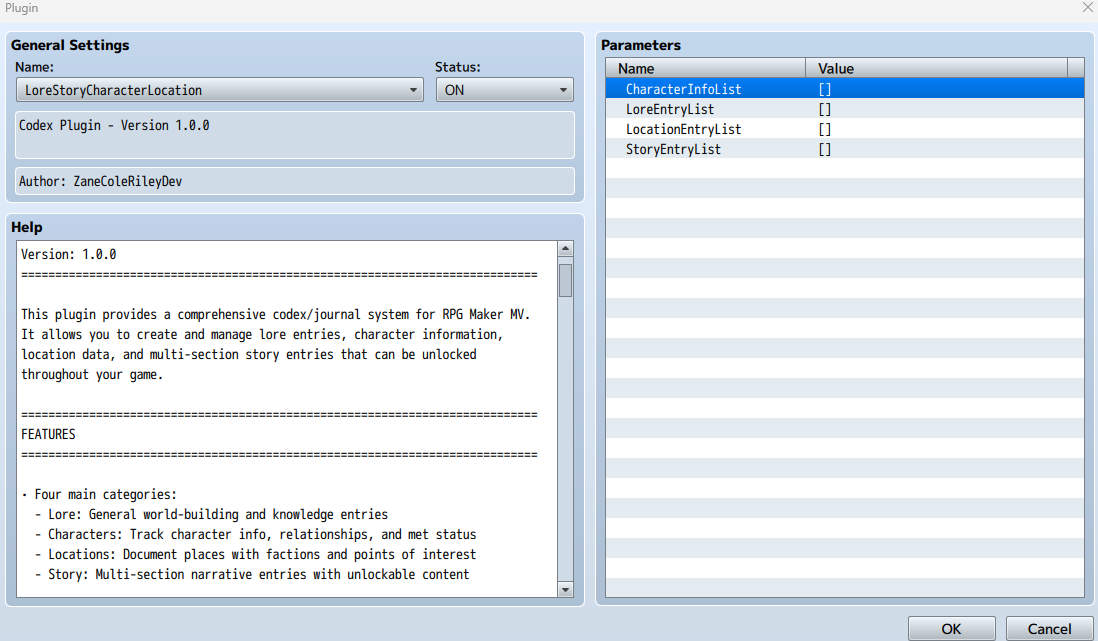
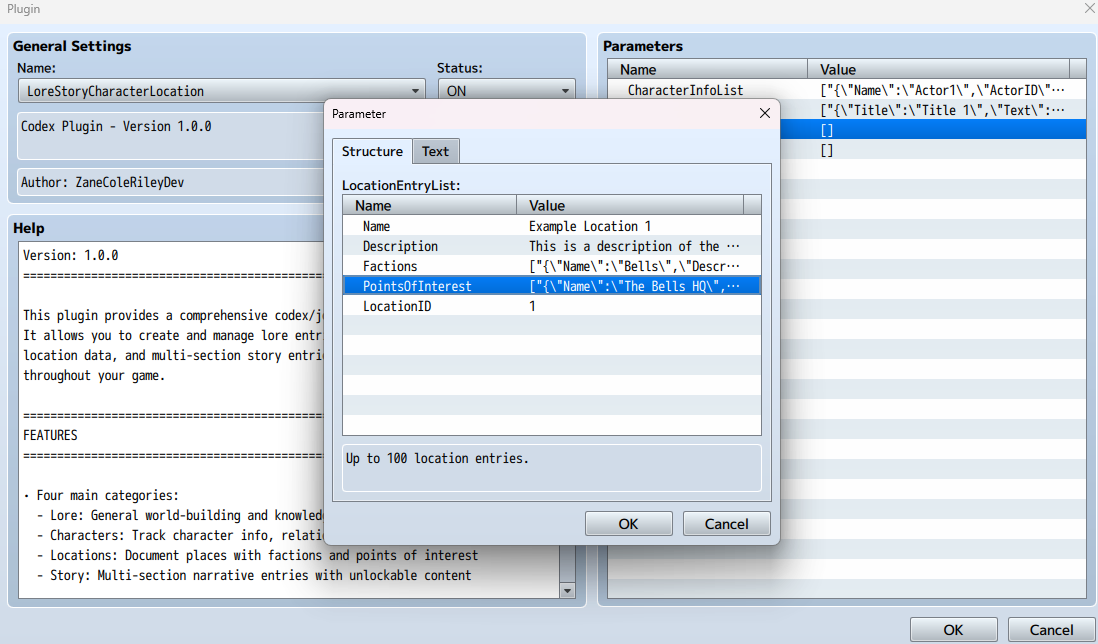
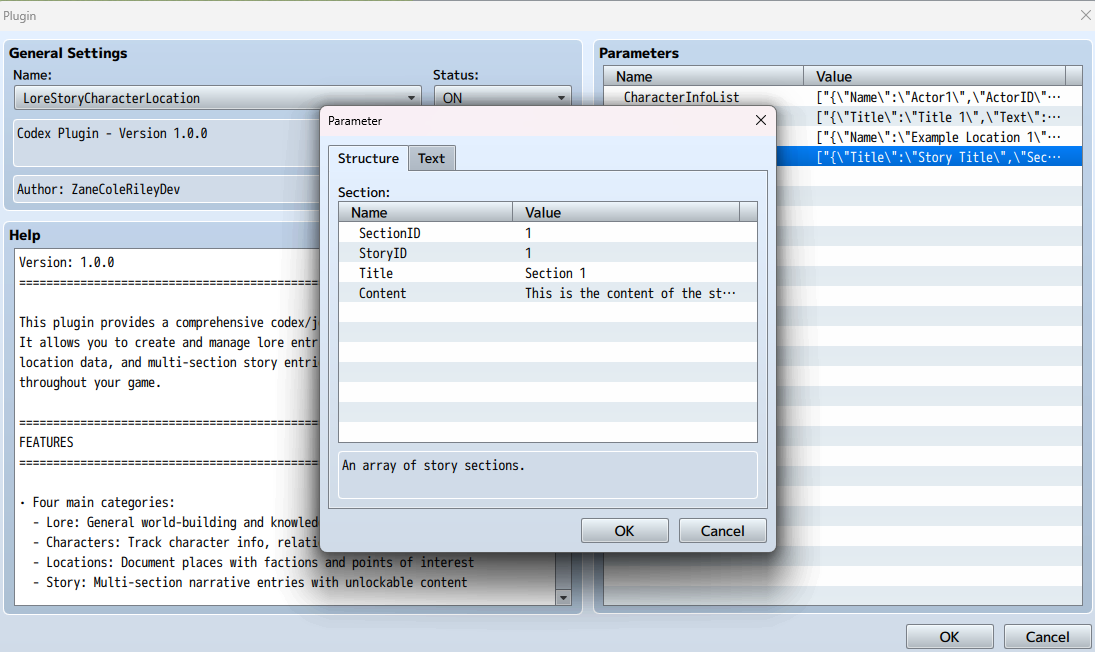
* 1. Configure your entries in the plugin parameters:
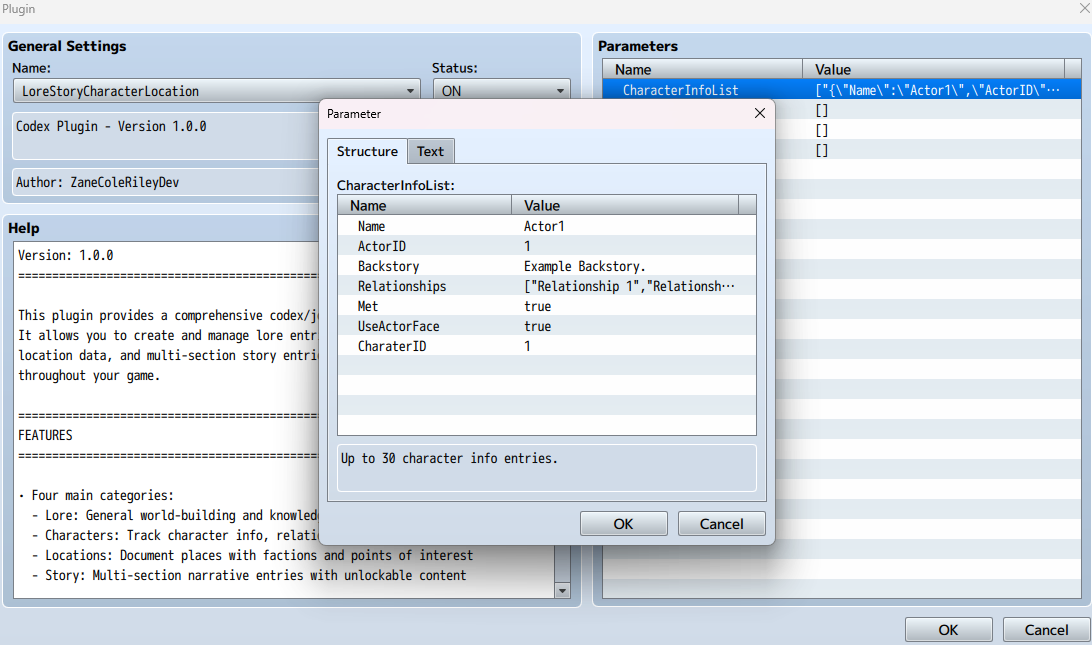
* - CharacterInfoList: Add characters with backstories and relationships
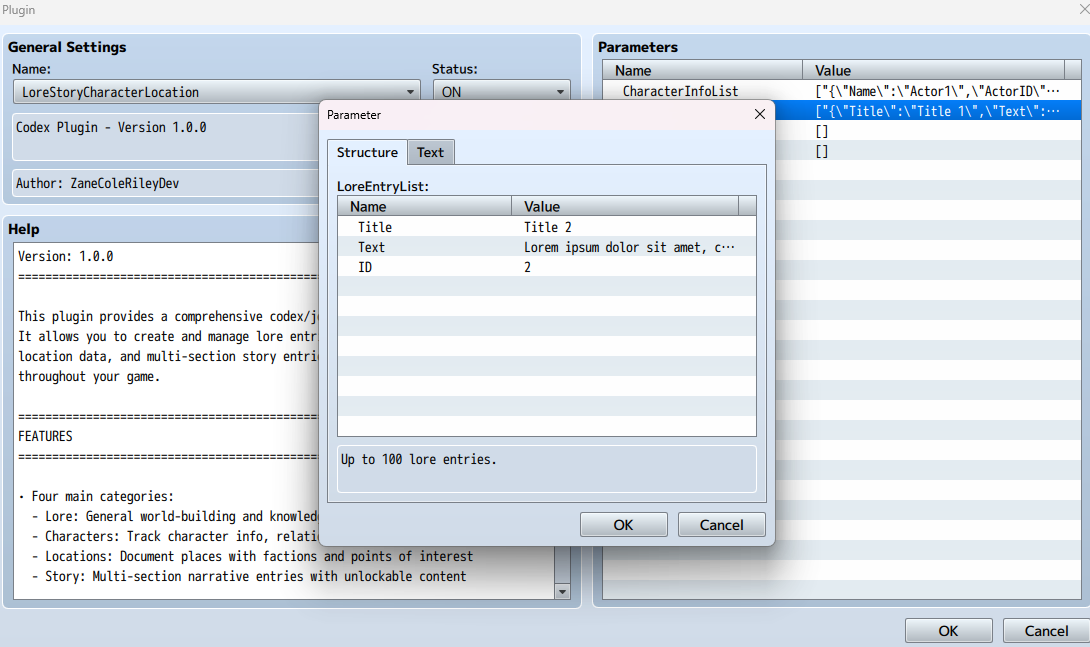
* - LoreEntryList: Add lore with titles and descriptions
* - LocationEntryList: Add locations with factions and POIs
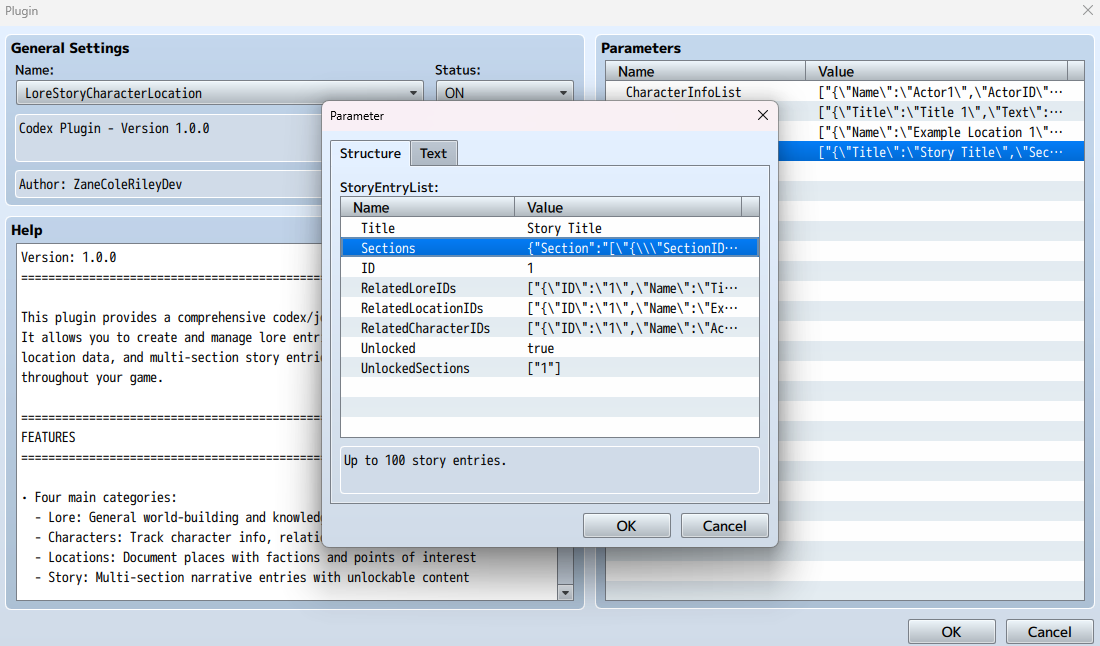
* - StoryEntryList: Add stories with multiple sections
*
* 2. Each entry requires a unique ID number
*
* 3. For Story entries, you can link related Characters, Locations, and Lore
* by their IDs to create connections between content
*
* ============================================================================
* PLUGIN COMMANDS
* ============================================================================
*
* Met [CharacterName] [true/false]
* - Marks a character as met or unmet
* - Example: Met Alice true
* - Example: Met Bob false
*
* UnlockLore [LoreID] [true/false]
* - Unlocks or locks a lore entry
* - Example: UnlockLore 1 true
* - Example: UnlockLore 5 false
*
* UnlockStory [StoryID] [true/false]
* - Unlocks or locks an entire story entry
* - Example: UnlockStory 1 true
* - Example: UnlockStory 3 false
*
* UnlockStorySection [StoryID] [SectionID] [true/false]
* - Unlocks or locks a specific section within a story
* - Example: UnlockStorySection 1 2 true
* - Example: UnlockStorySection 1 3 false
*
* ============================================================================
* USAGE EXAMPLES
* ============================================================================
*
* Example 1: Character meets the player
* Plugin Command: Met Roland true
* (Roland's backstory and relationships become visible in the codex)
*
* Example 2: Player discovers ancient lore
* Plugin Command: UnlockLore 5 true
* (Lore entry #5 becomes readable)
*
* Example 3: Progressive story revelation
* Plugin Command: UnlockStory 1 true
* Plugin Command: UnlockStorySection 1 1 true
* (Story #1 unlocked, only section 1 is readable)
*
* [Later in the game...]
* Plugin Command: UnlockStorySection 1 2 true
* (Section 2 now becomes readable)
*
* Example 4: Hiding content after an event
* Plugin Command: UnlockLore 10 false
* (Lore entry #10 becomes locked again)
*
* ============================================================================
* ACCESSING THE CODEX
* ============================================================================
*
* The codex is accessible from the main menu as "Lore".
*
* Navigation:
* - Use the vertical tabs on the left to switch between categories
* - Select entries from the middle panel
* - View details in the right panel
* - Press Cancel to go back or exit
*
* ============================================================================
* TIPS & BEST PRACTICES
* ============================================================================
*
* • Use consistent ID numbering (1, 2, 3...) to avoid confusion
* • Keep character names in plugin parameters exactly as used in commands
* • Unlock story sections progressively to create narrative pacing
* • Link related entries in stories to help players connect the dots
* • Use the Met system to hide spoiler character info until appropriate
* • Test unlock commands in-game to verify IDs match your parameters
*
* ============================================================================
* NOTES
* ============================================================================
*
* • All entries must have unique IDs within their category
* • Character names are case-sensitive in plugin commands
* • Locked entries still appear in lists but show limited information
* • Story sections within locked stories cannot be unlocked individually
* • Related entries in stories show as clickable references
*
* ============================================================================
* COMPATIBILITY
* ============================================================================
*
* This plugin should be compatible with most other plugins.
* Place it below any plugins that modify the main menu.
*
* ============================================================================
* TERMS OF USE
* ============================================================================
*
* Buy for commercial and non-commercial use.
* Credit ZaneColeRileyDev if you use this plugin.
*
* ============================================================================
* VERSION HISTORY
* ============================================================================
*
* v1.0.0 - Initial Release
* - Four category codex system
* - Lock/unlock functionality
* - Related entries system
* - Professional UI with vertical tabs
* - Plugin commands for content control
*
* ============================================================================
Download
Click download now to get access to the following files:
Leave a comment
Log in with itch.io to leave a comment.